
Computer Cleaning Service Sydney
Professional internal and external cleaning for desktops, laptops, and workstations. Extend the life of your equipment and improve performance.
Book Your Computer Clean
Prefer to call? 02 7247 6817
Signs Your Computer Needs Cleaning
If any of these sound familiar, it's time for a professional clean.
Overheating & Loud Fan Noise
When dust clogs your heatsink and fans, your computer works overtime to stay cool — leading to excessive heat and constant fan noise.
Unexpected Shutdowns
Thermal shutdowns are your computer's last resort to protect itself. If it's turning off randomly, heat from dust buildup is a common culprit.
Sluggish Performance
Thermal throttling from dust buildup forces your CPU and GPU to slow down, making everything feel laggy and unresponsive.
Visible Dust in Vents
If you can see dust bunnies in your vents or exhaust ports, there's far more packed inside around your components.
Not Cleaned in 12+ Months
Even in a clean home, dust accumulates inside your computer over time. Annual cleaning is recommended to maintain performance and longevity.
Pets or Smokers in the Home
Pet hair and smoke residue accelerate dust buildup dramatically. Computers in these environments need cleaning every 6 months.
What We Clean
A thorough, professional clean covering every component inside and out.
Internal Dust Removal
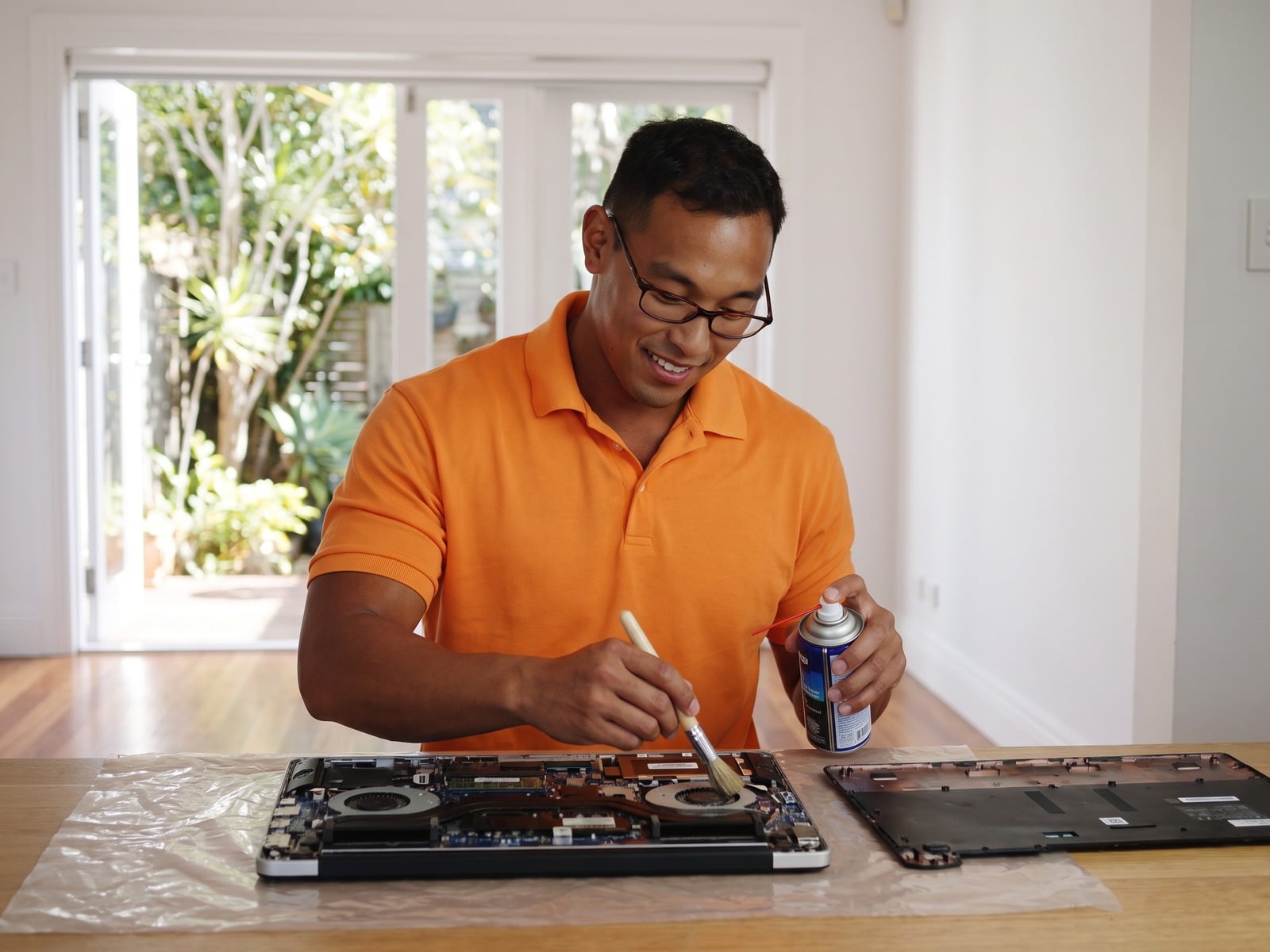
Compressed air and anti-static tools to safely remove all dust from internal components without damage.
Fan & Heatsink Cleaning
Detailed cleaning of all fans and heatsinks to restore proper airflow and reduce operating temperatures.
Thermal Paste Replacement
Old, dried thermal paste removed and replaced with premium compound for optimal heat transfer from your CPU.
External Case, Keyboard & Screen
Full external clean including case panels, keyboard crevices, and monitor screen with anti-static wipes.
Vent & Port Cleaning
All vents, USB ports, and connectors cleared of debris to ensure proper airflow and reliable connections.
Cable Management
Internal and external cables organized and tidied for better airflow, aesthetics, and easier future maintenance.
Devices We Clean
Professional cleaning for all types of computers and workstations.
Desktop PCs
Towers, mini-PCs, and custom builds thoroughly cleaned inside and out.
Laptops
Careful disassembly, fan cleaning, thermal paste, and keyboard deep clean.
All-in-Ones
iMacs, HP, Dell, and Lenovo all-in-one units safely opened and cleaned.
Workstations
Professional workstations and CAD machines cleaned to maintain reliability.
Gaming PCs
RGB builds, liquid cooling loops, and high-performance rigs given expert attention.
Servers
Rack-mount and tower servers cleaned for optimal airflow and uptime.
How It Works
Three simple steps to a cleaner, cooler, quieter computer.
Book Online or Call
Tell us about your computer and where you're located. Book online in 60 seconds or call us directly.
We Clean On-Site
Our technician arrives at your home or office and performs a thorough internal and external clean.
Fresh Start
Better temps, quieter operation, and a longer lifespan for your equipment.
Frequently Asked Questions
Everything you need to know about our computer cleaning service in Sydney.
Our computer cleaning service is $205 per hour with a one-hour minimum. We come to your home or office — no need to drop off your computer anywhere.
We recommend a professional clean every 12 months for most computers. If you have pets, smoke indoors, or your computer is in a dusty environment, every 6 months is ideal. Regular cleaning prevents overheating and extends your hardware's life.
Absolutely. We clean all laptop brands including Dell, HP, Lenovo, Asus, Acer, and MacBooks. We carefully disassemble, clean the fans and heatsink, replace thermal paste if needed, and clean the keyboard and screen.
Yes, thermal paste replacement is included as part of our cleaning service when needed. We use premium thermal compound to ensure optimal heat transfer from your CPU and GPU to the heatsink.
If your computer has been thermal throttling due to dust buildup, yes — cleaning can noticeably improve performance. Lower temperatures allow your CPU and GPU to run at full speed instead of slowing down to prevent overheating.
Yes, all our cleaning services are performed on-site at your location — whether that's your home, office, or workplace. We bring all the tools and equipment needed. No need to disconnect or transport your computer.
Completely safe. We use anti-static equipment, proper compressed air techniques, and ESD-safe tools. Our technicians are experienced with all types of hardware and take every precaution to protect your components.
We provide computer cleaning services across all of Sydney including the CBD, Parramatta, North Sydney, Bondi, Chatswood, Hurstville, Penrith, Liverpool, Blacktown, and surrounding areas including the Central Coast, Blue Mountains, and Northern Beaches.
Ready for a Cleaner, Faster Computer?
Book your professional computer cleaning today. On-site service across all of Sydney.
Prefer to call? 02 7247 6817
Computer Cleaning Across Sydney
On-site computer cleaning service available in all Sydney suburbs.
What does a PC cleaning service involve?
A PC cleaning service removes built-up dust from the fans, heatsinks, vents and internal components, replaces dried thermal paste where needed, and wipes down the case, keyboard and screen. Geeks IT Sydney does this onsite at your home or office across Sydney and its suburbs, which lowers temperatures, reduces fan noise and helps prevent overheating shutdowns and thermal slowdowns.
What an onsite PC clean includes
- Dust removal from fans, heatsinks and vents
- Cleaning power supply intake and case dust filters
- Replacing dried thermal paste where needed
- Wiping down the case, keyboard and screen
- Checking temperatures and fan operation after the clean
Onsite PC cleaning is charged at $205 per hour with a one-hour minimum and no call-out fee. Book an onsite PC clean.
How much does a PC cleaning service cost in Sydney?
Geeks IT Sydney charges $205 per hour for onsite PC cleaning at homes and offices across Sydney and its suburbs, with a one-hour minimum and no call-out fee.